


The best PS5 SSD we've tested so far is the Samsung 990 Pro. This speedy Gen 4 stick hits the heights of the PS5's limits while still coming with a slick and easy heatsink integrated into the design. That means a faff-free installation and console-grade loading times.
The 990 Pro is available with or without a heatsink attached, and it's also the best SSD for gaming we've tested overall. Its 7,462MB/s read and 6,877MB/s write speeds we achieved with the 2TB model are as good as it gets for a Gen 4 drive. But as great as it is, you're likely to struggle to find it for its original $110 / £110 starting price in 2026 as storage prices continue to fluctuate as a knock-on effect from the RAM Storage Crisis.
If you don't want to break past three figures, the Nextorage NEM-PA is your next best bet. This is a $90 / £90 1TB drive that still comes with a heatsink attached and impressive speeds for the price. You're not getting anything flashy here, though, and larger configurations can scale quickly. Just be warned that with the rising SSD prices, you might struggle to find the drive and the rest of the PS5 SSDs as part of this list, for their original MSRPs.
Straight down the middle, we have the Samsung 980 Pro. It's excellent value from a speed perspective and keeps up with the console's own SSD nicely, but its extra age means it's slightly more likely to see discounts compared to the newer 990 Pro at the top of our list.
The Quick List

Samsung's 990 Pro is one of the top Gen 4 SSDs money can buy, and in terms of pure speed, might just be the one that takes the cake. If not, it's one of the best all-rounders.

You might not have heard of Nextorage, but its PS5 SSD is priced very competitively, and the performance it gives you is pretty decent as well.

The Samsung 980 Pro is aging, which means its price tag is getting more reasonable. All the while, its performance holds up to the best options on this list.

The Platinum P41 is a great drive that doesn't cost the world. Its companion heatsink, the Haechi H01/H02 works great in the PS5 and gives you separation options.

Ever since I got my PS5 I've constantly been subject to notifications and reminders that I need to delete games every time I want to try out something new on PS Plus Premium or just install my latest pickup. I'm newer to the world of SSDs, but knowing I can update my PS5 without forking out for a new console altogether, is one of the reasons why its my favorite current-gen console - and I want to ensure you can upgrade yours too no matter your budget.
August 19 - Since the last update to this guide, I've tested and reviewed the Samsung 990 SSD, a DRAM-less PCIe 4.0 x4 NVMe M.2 drive that is available in 1TB and 2TB capacities. There's no heatsink model available for this drive quite yet, so it's not specifically designed with the Sony console in mind. However, nothing is stopping you from grabbing a compatible 2280 heatsink for the PS5 SSD bay so you can give your console a boost. During my review, I tested the 2TB model alongside my testing PC rig, where I was able to achieve sequential read and write speeds up to 7,094.84 MB/s and 5,851.1 MB/s. For a Gen 4 drive, this was impressive, though it didn't quite live up to the marketed read and write speeds of up to 7,250 and 6,450 MB/s. Additionally, both capacities are priced similarly to their 990 Pro counterparts, so I'd only really recommend picking up the new 990 SSD if you're struggling to find its predecessor in stock for a reasonable price in a post-RAM Storage Crisis market.
The best PS5 SSD overall


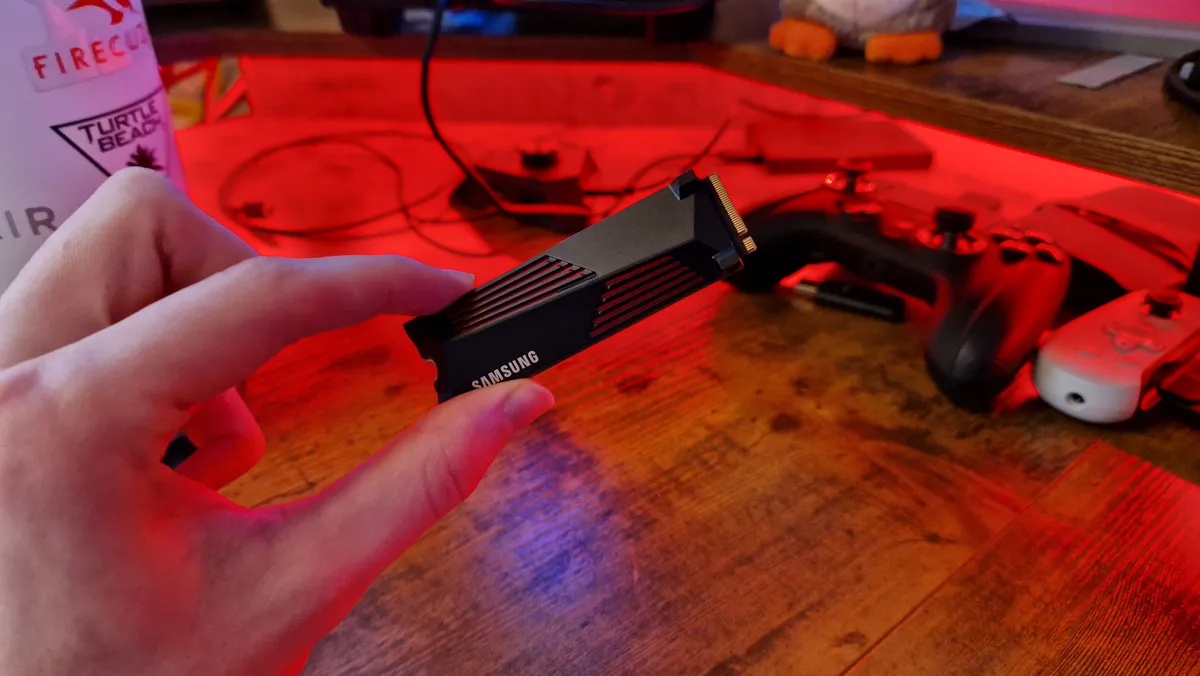


The Samsung 990 Pro is the latest Gen 4 M.2 SSD from the brand and offers some top-contender performance for PS5 and PC. Unlike most SSDs at the moment, its price is holding pretty firm (since it's never exactly gone for cheap prices). It's also readily available, perhaps since Samsung makes a lot of its own parts. I use the 4TB version of this drive in my PS5, and I can thoroughly recommend it.
The 990 Pro is available with or without a heatsink, now in up to a 4TB capacity. Its heatsink is incredibly stylish and has some lovely red flashes that line its face. In an instant, you can recognize this drive's gaming chops just from its appearance.
On the box, you're told this drive can reach unearthly speeds for a Gen 4 drive - 7,450 / 6,900 MB/s. It has a new controller that hasn't been seen in other models, which is codenamed Pascal. Beyond that, we don't know all that much about the innards of this SSD, but its numbers do speak for themselves.
This is the gen 4 SSD maxed out - the 2TB model of this drive we tested for review nailed Samsung's quoted figures, scoring 7,462MB/s reads and 6,877MB/s writes. From extensively using the 4TB version of this drive in my own PS5, I've found much the same, and it's the fastest SSD Sony's own benchmark has ever recognized. In short, this is the pound-for-pound fastest Gen 4 drive on the market, and if you don't mind paying a bit more for it, it's an easy recommendation from us.
Read more: Samsung 990 Pro review
Should you buy the Samsung 990 Pro?
Buy it if:
- You want the fastest speeds available
- You don't mind paying a bit more
Don't buy it if:
- You have a 980 Pro already
Speed |
5/5 |
Heatsink efficiency |
4/5 |
Value |
4/5 |
Discount likelihood |
3/5 |
The best budget PS5 SSD
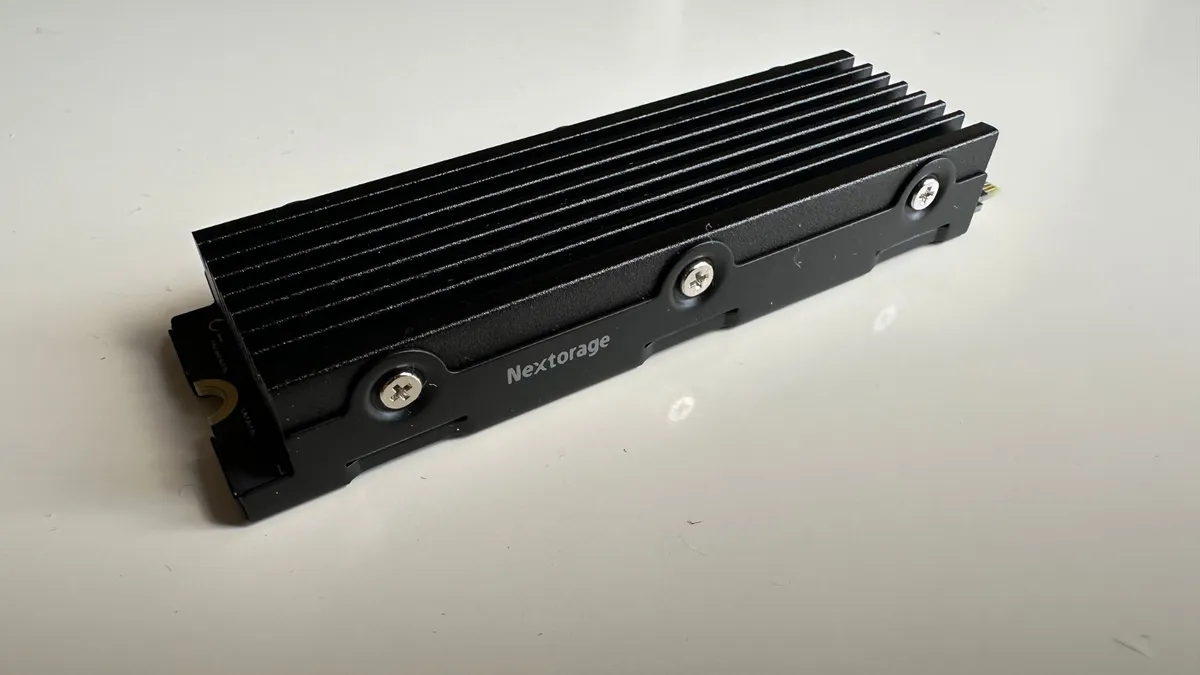


Nextorage is a relatively new brand on the scene in the storage market. It's a company made up of former Sony employees who have now broken off to start a very successful solo career. Sony, admittedly does own a share in its new solo act, but when looking for an SSD for PS5, that might actually be a good thing. Nextorage has been turning heads with its NEM-PA Series because as all the other cotenders have been getting more expensive, this lovely little drive has remained more affordable.
The design of the NEM-PA Series isn't as flashy as the big names on this list, but it's available with a really solid heatsink that will slot easily into the PS5's M.2 tray. It's all black in color, so aesthetically it isn't massively interesting, but the vent lines along its body will do the trick, and that's the main thing when the drive will be covered by a faceplate anyway.
Advertised speeds here are 7,300MB/s / 6,900MB/s read/write respectively, and the NEM-PA is available in 1, 2, 4, and 8TB shapes. Architecturally, there's a dynamic SLC cache, up to 2GB of DDR4 DRAM, and 4th Gen PCIe interface support. Those numbers, in particular, put it up there with the giants of the market, and are very comparable with the likes of the Samsung 980 Pro.
Like all Gen 4 options with the required read speed, this is compatible with PC and PS5, but its emphasis on PS5 specifically means it doesn't seem available without a heatsink. Luckily, its price is fair, so you shouldn't feel the need to look for a cheaper option anyway.
Inside the PS5, Nextorage's option scored a solid 6,539MB/s in Sony's formatting benchmark. This is actually up there with the highest internal PS5 numbers we've come across, which speaks to its quality against much bigger, much pricier brands. CrystalDiskMark showed us numbers that actually surpassed the advertised write speeds, clocking in an average of 6,924MB/s across three tests.
Transfer times were equally as impressive, as Alan Wake 2 moved from the internal stock SSD in the PS5 to the NEM-PA Series in only 30 seconds from an average of 3 tests. That’s 77.87GB in less than half a minute. In return transfers, Alan Wake 2 moved back to the internal SSD of the PS5 in 5 minutes and 20 seconds.
We noticed quicker-than-usual load times on the console as well, so it's safe to say we're thoroughly impressed by what Nextorage has made here. A lot of the time with products we award "best budget" labels to, the quality isn't quite up there with the others we review. It's usually a sign that for the money, that product is good, and does the trick. With this, however, you get something genuinely competitive with what is typically pricier.
Read more: Nextorage NEM-PA Series 5 review
Should you buy the Nextorage NEM-PA?
Buy it if:
- You want a PS5-designed drive
- You have a $100 budget
Don't buy it if:
- You want the best performance possible
Speed |
3/5 |
Heatsink efficiency |
3/5 |
Value |
2/5 |
Discount likelihood |
3/5 |
The best value PS5 SSD

The Samsung 980 Pro is still one of the best PS5 SSDs on the market, especially considering that the heatsink model is now widely available, and frequently discounted, too. While this drive may no longer be the absolute fastest Gen 4.0 unit that you can slot into your Sony system, the all-star sequential rates of up to 7,000 MB/s read cannot be denied.
While Gen 4 drives running the likes of the Phison E18 controller are going to offer more consistent, and faster overall random performance, the Samsung 980 Pro matches the console's internal storage and is usually available substantially cheaper than newer drives on the market. The addition of a dedicated heatsink custom-made for the system is going to be ideal for anyone preferring the plug-and-play approach as opposed to having to go all DIY, too.
In terms of potential sizes here you get 512GB, 1TB, and 2TB models, and you can elect to get one with or without the heatsink.
Even if the 990 Pro is a bump up in terms of speed, the 980 Pro is still one of the fastest drives going, offering speeds of 6.7GB/s read and 4.9GB/s in our review tests. Since this is likely found discounted these days, the value for money here is pretty outrageous.
If you want faster, the SN850X and 990 Pro will give you that, but certainly, if you're waiting to buy until deals season, the 980 Pro will have you covered.
Read more: Samsung 980 PRO Review
Should you buy the Samsung 980 Pro?
Buy it if:
- You want value for money
- You still want great speeds
Don't buy it if:
- You don't want to wait for a deal
Speed |
4/5 |
Heatsink efficiency |
4/5 |
Value |
3/5 |
Discount likelihood |
5/5 |
The best PS5 SSD with a separate heatsink
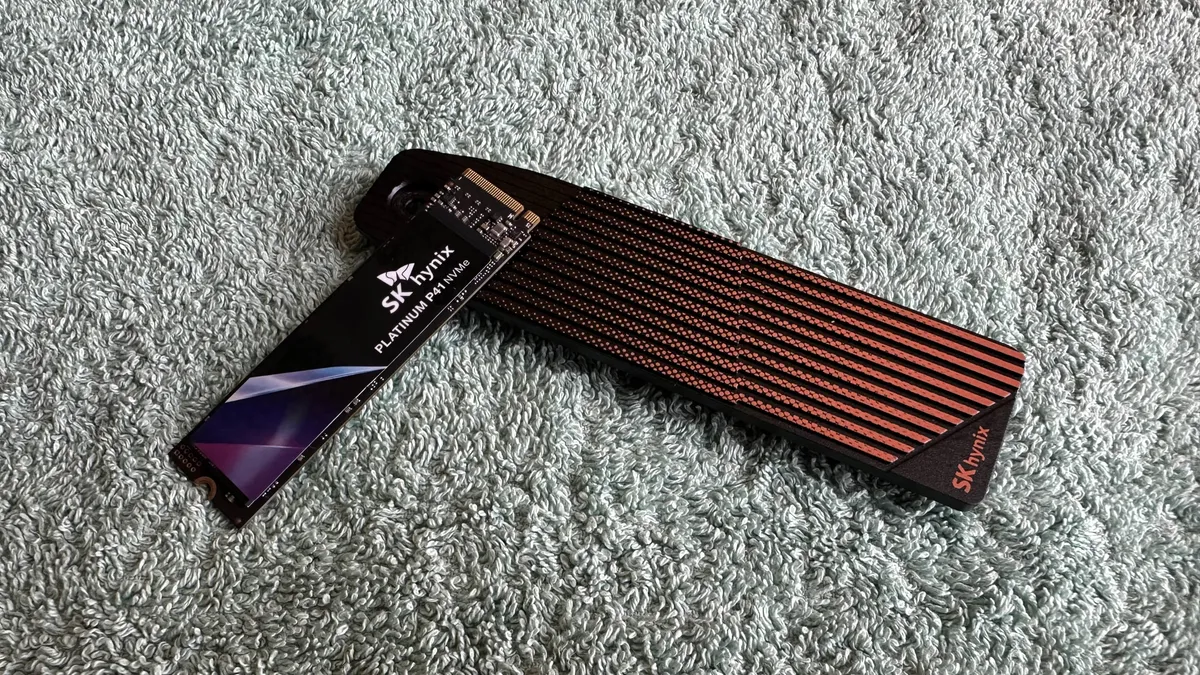


The SK Hynix Platinum P41 is a great SSD in its own right, sitting just under the top dogs of the Gen 4 as a fast performer. Combined with its companion Haechi H01 and H02 heatsink, however, it's a perfect fit for PS5 if you want to futureproof yourself with a separate cooling device.
The idea of buying a separate heatsink might not make a lot of sense at first - with so many great options out there, why not just make your installation easier and buy something with a heatsink pre-attached? Well, it's well-known that buying drives without heatsinks is a bit more affordable. Buying a separate heatsink like this means you'll be able to swap out your drive and spend less money because you already have a perfect heatsink for your PS5.
The Haechi H01 is ideal for anyone with a launch PS5, but for any PS5 Pro owners or PS5 Slim owners, the H02's slightly smaller build will make it easier to fit your faceplates back on after installation.
The Platinum P41 itself has advertised sequential speeds of 7,000MB/s and 6,500MB/s, which is reflected in its middling price point, and comes with the 3D NAND cache tech we know and love from the latest drives - which is great for something that's now a few years old.
In testing, however, we actually found an increase in the P41's speeds from what was advertised. CrystalDiskMark showed us an average of 7,206MB/s for sequential read speed, which will be hard to notice but is still a decent score for a drive that, again, has had a lot of competition launch since it's been on the shelves.
Inside the PS5, the formatting test showed us 6,188MB/s, which is a tad more disappointing if you're looking for the fastest drive in Sony's console. Still, your mileage may vary, and it's the addition of the hefty separated heatsink we're really here for anyway.
Read more: SK Hynix Platinum P41 + Haechi Heatsink review
Should you buy the SK Hynix Platinum P41?
Buy it if:
- You prioritize storage space over speed
Don't buy it if:
- You prioritize the shortest loading times
Speed |
4/5 |
Heatsink efficiency |
5/5 |
Value |
3/5 |
Discount likelihood |
3/5 |
Editor's note:
If you go for another M.2 SSD, that's totally fine, but make sure it's in line with the PS5's internal SSD specifications. We've listed the most important ones below.
- PCIe Gen4 interface (not Gen 5, sadly)
- 250GB - 4TB capacity
- Minimum 5,500MB/s read speed or faster
- 22mm width (do not go for 25mm units)
- a heatsink is required (built-in or DIY)
Best Heatsinks for PS5 SSDs
While some SSDs that are specifically designed with the PS5 in mind come with a heatsink built-in, others do not. Either way, you will need to pair your PS5 SSD with one of the best PS5 heatsinks.
On the plus side, you can buy them separately from a wide range of manufacturers. They're very easy to fit and will stop your new SSD from overheating and being damaged as a result. It's usually fairly easy to see if an SSD doesn't have a heatsink already, because it will be very thin, and will most likely have elements of the circuit board on show. Products with a heatsink attached will usually say on the listing page, and will often be a little thicker, with vent-looking elements on one or both sides.
Sometimes built-in heatsinks drive up the cost quite a lot, so buying your own can save you a decent amount of cash. We've listed a few of our favorite options below.

The Sabrent is probably our favorite PS5 heatsink and the one that we always recommend first when asked. We wouldn't be surprised if this design starts becoming the default during the PS5's lifespan - it replaces the entire SSD bay door and promotes heat dissipation by transferring SSD heat from the bay to the spacious PS5 interior. And, by the way, if you're interested in the Sabrent SSD itself, then buy one that comes with this heatsink.

If you're looking for something to do a solid job and only spend a few beans, however, then this ELUTENG PS5 Heatsink is as good as they get at the budget end of the spectrum. For less than $10 /£10, this is a reliable heatsink that you can put together easily yourself, and tuck away inside the PS5 bay. Though we would 100% recommend putting this PS5 heatsink together using the screw-in method, rather than the banded together approach.

Also rocking the budget-end of the spectrum, the QIVYNSRY PS5 heatsink is another solid sub-$10/£10 option. Cut from the same cloth as the ELUTENG it has a simple design that can be neatly constructed to form a double-sided heatsink that will wrap around your SSD. Overall, this is a simple solution but still a terrific budget PS5 heatsink. Once again, be sure to screw it together to ensure the best and most secure fit for your SSD.
How we test PS5 SSDs

You can find out the specifics of how we test SSDs in our full GamesRadar Hardware Policy, but it's worth going stating here, too. At GamesRadar, we utilize extensive testing methods when reviewing the latest SSDs and hard drives, either for standalone write-ups or in lists just like this one.
For PS5 SSDs, the biggest tests that we conduct are as follows:
- CrystalDiskMark benchmarking tests
- Sony's official benchmarking speed test (which happens after a device format)
- File transfer speed tests (from the console's internal storage and back again)
- In-game loading times (time clocked between menus and gameplay, etc.)
Value for money and price-to-performance ratio are paramount when considering what makes a PS5 SSD one of the best on the market. We do test each drive in full in both a gaming PC as well as a PS5 however, because sadly, the PS5's motherboard isn't capable of getting the full speed out of each one. That's why we use CrystalDiskMark to benchmark the PCs in an environment where they're more likely to show their potential. We'll then install an SSD inside a PS5 and look at the console's own formatting benchmark, which shows just how much you'll get out of one in Sony's machine.
Thereafter, it's all about showing you examples of how an SSD will impact your gaming time. PS5 loading tests aren't the most accurate tests in the world, but they will give you an idea of how long you'll need to wait between gameplay sections.
File transfer tests can be a nice example of the quality of life bonuses a drive will give you when moving game files around, or shifting capture clips and screenshots off the console. The types of games we move can differ depending on any given reviewer's access to certain releases. However, storage-demanding releases like Fortnite and Marvel Rivals are key games we use to transfer between the PS5 and the SSD, as well as any recent AAA PS5 titles, or any single-player games that the review or member of our hardware team may have access to.
How to choose the best PS5 SSD

The first step in choosing an SSD for PS5 is to think about how you'll use it. What's a priority for you with a storage device? Do you want more speed, or space? Will you use it for PS5 games, or will you use it for moving games on and off the console?
If you want some back up space for older games, and you want to shift files on and off the console's drive, then you may not even need an internal drive. An external SSD will probably be enough for you, especially since you can format one to act as additional storage for PlayStation games.
Then again, if you want more space for PS5 games, and a drive you'll be able to launch them off of, an internal SSD is what you want. These will basically act as an extension of your console's own storage space, and with them, you'll be less likely to be bothered by that annoying notification telling you you're out of room for installing new games. Modern SSDs can also out-perform the PS5 in terms of loading times, so if you want marginally quicker loading times than you already have, then one of these M.2 drives is for you.
Also tested
Best PS5 SSD FAQ

Will Gen 5 SSDs work with PS5?
Unfortunately, the M.2 slot in the PS5 maxes out at Gen 4, meaning the latest and greatest SSDs for gaming won't work inside it. Having said that, the latest System Software Beta looks like support for up to 8TB SSDs will be added soon, so at least there's plenty of Gen 4 futureproofing to be had within the PS5's lifespan.
What is the maximum size for a PS5 SSD?
The biggest SSD you can put in the PS5 has been limited to 4TB since the M.2 slot was enabled, but the latest firmware beta added support for up to 8TB of space, which, will take some serious downloading to fill up all the way. These 8TB drives can also be pretty pricey, so we'd say for most players, 1 or 2TB PS5 SSDs will futureproof you more than enough.
What is the best size SSD for PS5?
Generally speaking, we think that a 1TB PS5 SSD is going to be ideal for most gamers because it strikes the perfect balance of price-to-performance. A 1TB Gen 4.0 NVMe drive can commonly be found at, or under, the $150 mark and can more-than-double the standard out of the box internal storage on PS5.
Having said that, SSD prices have been coming down throughout 2022 and 2023, so it may be that you find more affordable 2TB options than before. If you want extra futureproofing, a 2TB drive may be more viable. The PS5 M.2 port supports a maximum total of 4TB, so if you want to go all out with tonnes of room to spare, you definitely have options to play with.
How big are PS5 games?
Why you can trust GamesRadar+ Our experts review games, movies and tech over countless hours, so you can choose the best for you. Find out more about our reviews policy.

Knowing if updating your PS5 with another SSD is right for you can be easily surmised by what games you play, and how much space they take up on your system. Especially when games like Horizon Forbidden West can take up to 150GB worth of space on your console.
If you're regularly deleting games to make space for more, then grabbing an additional bit of storage is likely a wise idea. To give you an idea of the install size of major PS5 releases, we've listed some below:
(It's worth knowing that as games regularly get patches and updates, these download sizes are subject to change.)
- Astro Bot - 66GB
- Clair Obscur: Expedition 33 - 41GB
- Final Fantasy VII Rebirth - 145GB
- Final Fantasy XVI - 90GB
- Fortnite - 42.66GB
- Horizon Forbidden West - 150GB
- Lost Records Bloom and Rage - 38.56GB
- Marvel Rivals - 36.58GB
- The Last of US Part Two Remastered - 79GB
- Marvel's Spider-Man: Miles Morales - 52.56GB
- Marvel's Spider-Man 2 - 98GB
- Ratchet and Clank Rift Apart - 33.6GB
- Silent Hill 2 Remake - 50.5GB
What SSD speed is good for PS5?
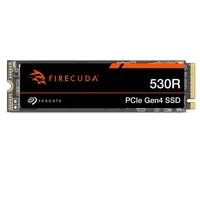
The minimum requirement for PS5 SSDs is 5,500MB/second. Some of the picks on our list like the Samsung 990 Pro and Seagate Firecuda 530 even surpass that to the tune of over 7,000MB/s, so anywhere between those two figures is a solid SSD speed for the best PS5 SSDs.
For anyone keeping score, solid HDDs (like the ones used in the PS4) struggle to break read and write speeds of 200MB/s.
How to install a PS5 SSD
The installation process is a lot easier than it seems, and if you feel you need visual help, there's an official PlayStation tutorial video. Essentially, you'll need a flat surface to work on, a number one Philips screwdriver, and some light.
Start by putting the PS5 on its side, with the faceplate showing the PlayStation logo face-down. After removing the other faceplate, you should be able to see the SSD tray. Unscrew the bespoke PlayStation symbol screw, and remove the lid. You should now see a green slot with a few different measurement holes. With your SSD in hand, find the line that corresponds to your drive's size. Once you've taken a quick mental note of the number, unscrew the small fixing screw and spacer. Then place the spacer in the correct measurement hole for your new SSD.
Once that's done, you can line up one of the best PS5 SSDs for insertion into the console. If the room is well lit, you'll be able to clearly see which way up your drive should be by lining up the small gap in the insertion component with that of the PS5 M.2 port. Starting at a diagonal angle pointing down and into the port, make sure the ends of your SSD fit in without too much resistance. After that, you'll need to let the drive angle down a bit, and then be quite firm to ensure it's inserted all the way. Do not apply too much pressure diagonally down, or the SSD will break. Once it is, attach your heatsink if you need to, ensuring the thermal layer has had its tape removed. Then simply put the tray lid back on if you have the room, and screw into the spacer hole you prepared earlier to secure everything in place.
That's it! Put the faceplate back on by sliding the opposite way from when you took it off, and plug the PS5 back in. The software on the PS5 should recognise that a new drive is in place, and will ask you to format it.
Looking to upgrade your PS5 with more than just expanded storage? Check out our lists of the best PS5 headsets and best TVs for PS5 and Xbox Series X. Pairing your PS5, no matter the model, with one of the best PS5 controllers will also help elevate your Sony gaming sessions.

